Built for Baristas: The Starbucks Pull-to-Thaw Redesign
Starbucks Pull‑to‑Thaw app was designed for single-user workflows, creating inefficiencies and errors in busy, multi-partner environments. I led a redesign to enable real-time collaboration, device flexibility, and task continuity. The result improved speed, reduced duplicate work, and increased partner confidence in inventory processes.
Keywords: Food & Beverage · Figma · Product Design · A/B Testing · IOS UI Design · Branding
Client
Type
Year
Approach
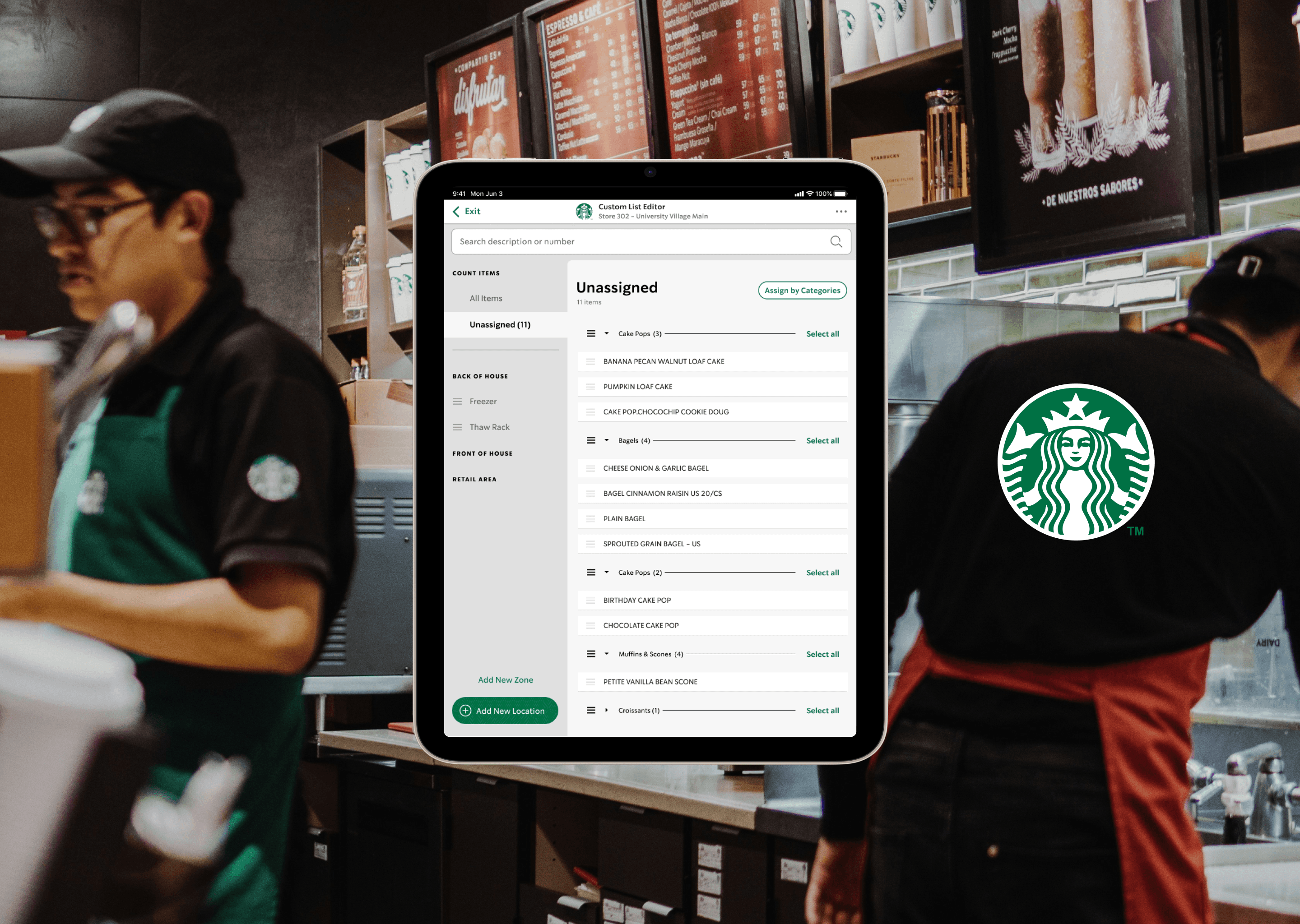
Starbucks operates high-volume retail stores where accurate food prep and inventory directly impact service and waste. Pull‑to‑Thaw ensures frozen items are safely thawed on schedule.
I led end-to-end UX over four months as a senior product designer, partnering with a business analyst and a five-person remote engineering team. I owned research framing, workflow architecture, high-fidelity design, and executive storytelling.
Constraints included a fixed five-month delivery window, legacy system dependencies, unreliable in-store hardware, and a shift toward iPad-based multi-device environments.
The Problem
The app tied sessions to a single user and device, causing duplicated work, lost progress, and inefficiencies during peak hours.
Research showed counting was the most time consuming and frustrating task, worsened by hardware issues and system sync gaps. Previous solutions failed because they assumed linear, single-user workflows in a highly collaborative environment.
If unresolved, stores risked slower operations, lower accuracy, and growing frustration as device usage scaled.
Design Strategy
Success meant reducing count time while maintaining or improving accuracy and partner satisfaction.
I prioritized enabling concurrency without sacrificing accountability. I chose not to redesign the entire inventory system, focusing instead on high-impact workflow changes.
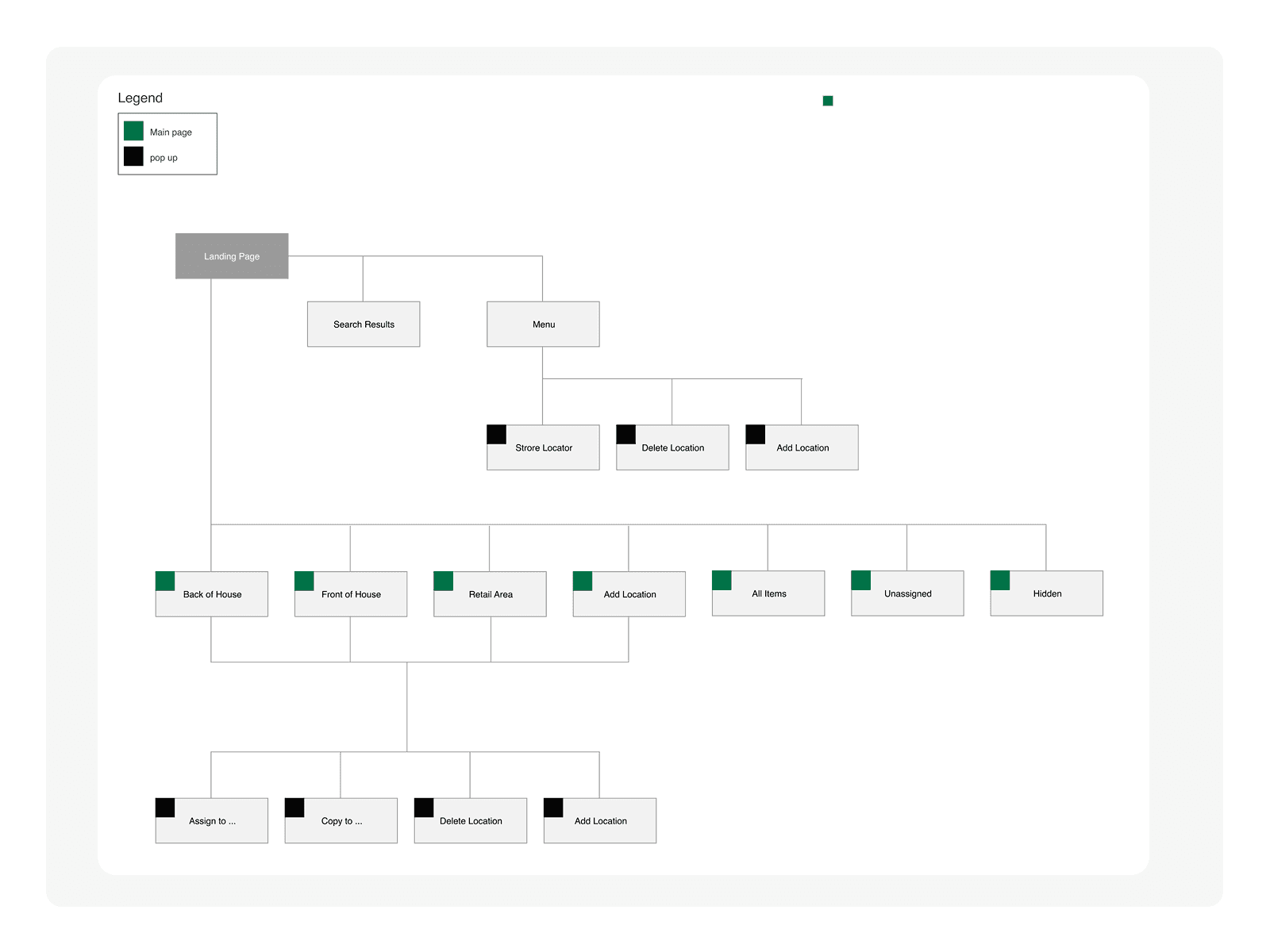
Key bets included: shared task states across devices, clear ownership signals, and resumable sessions.
Process
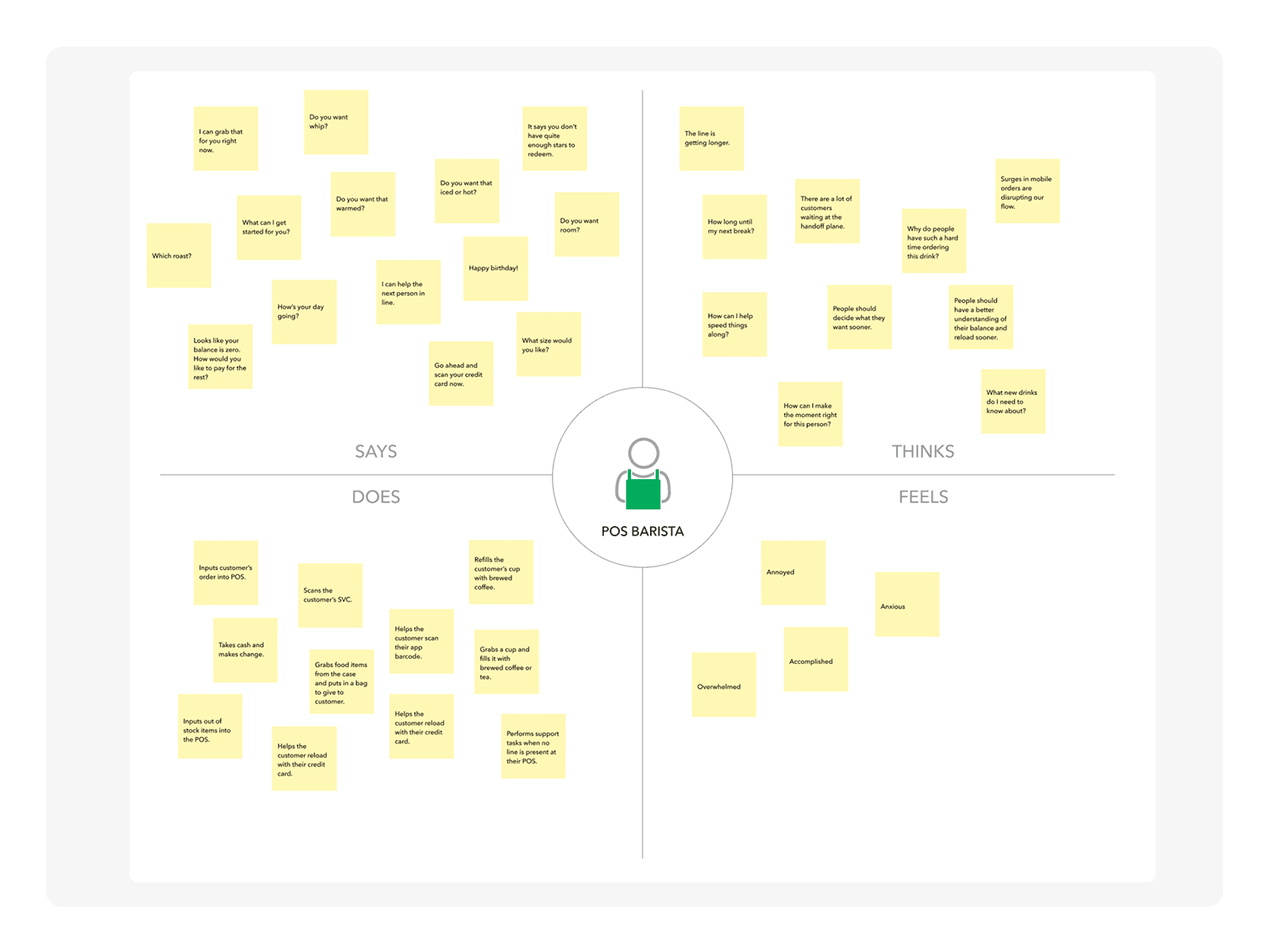
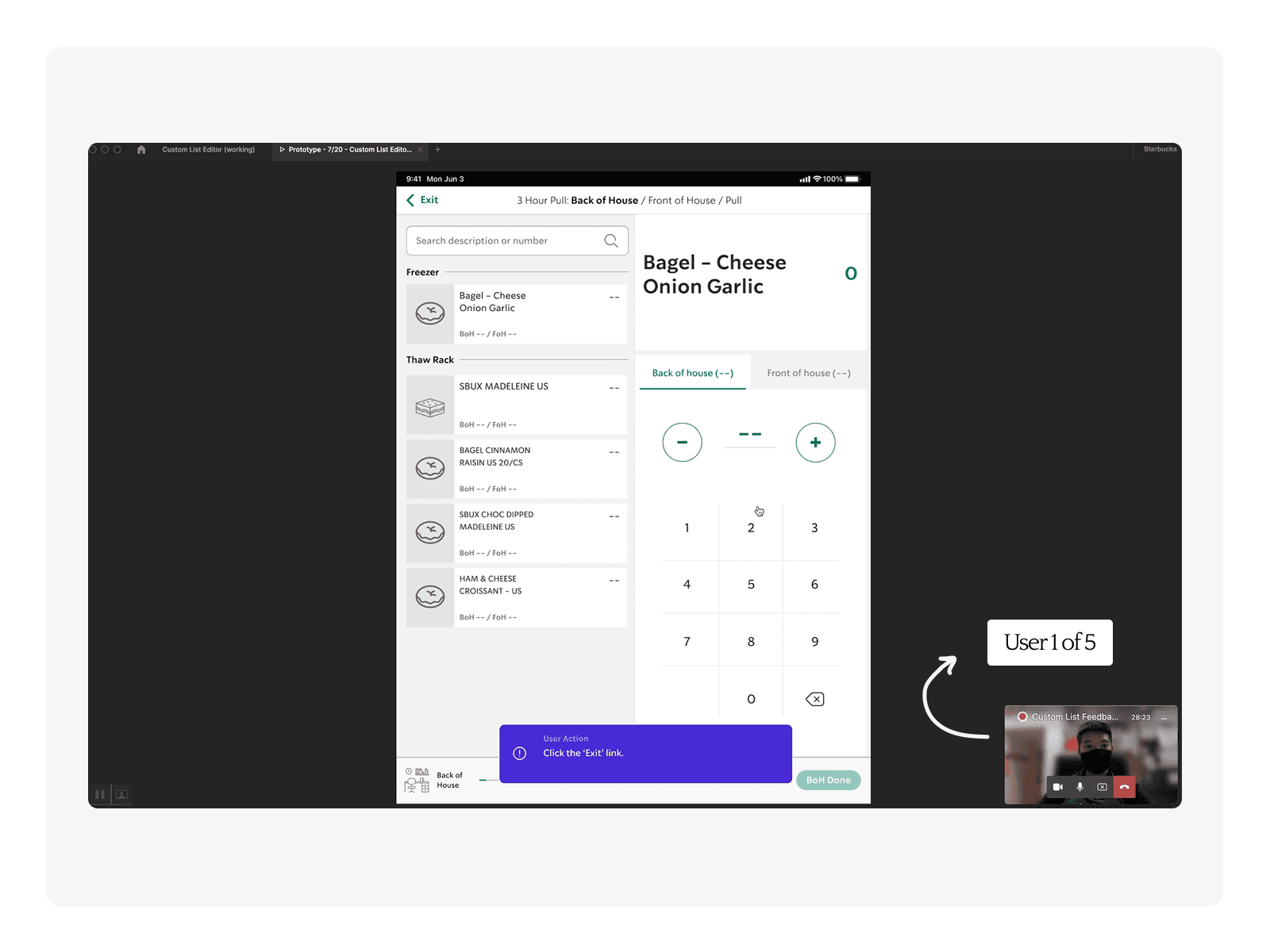
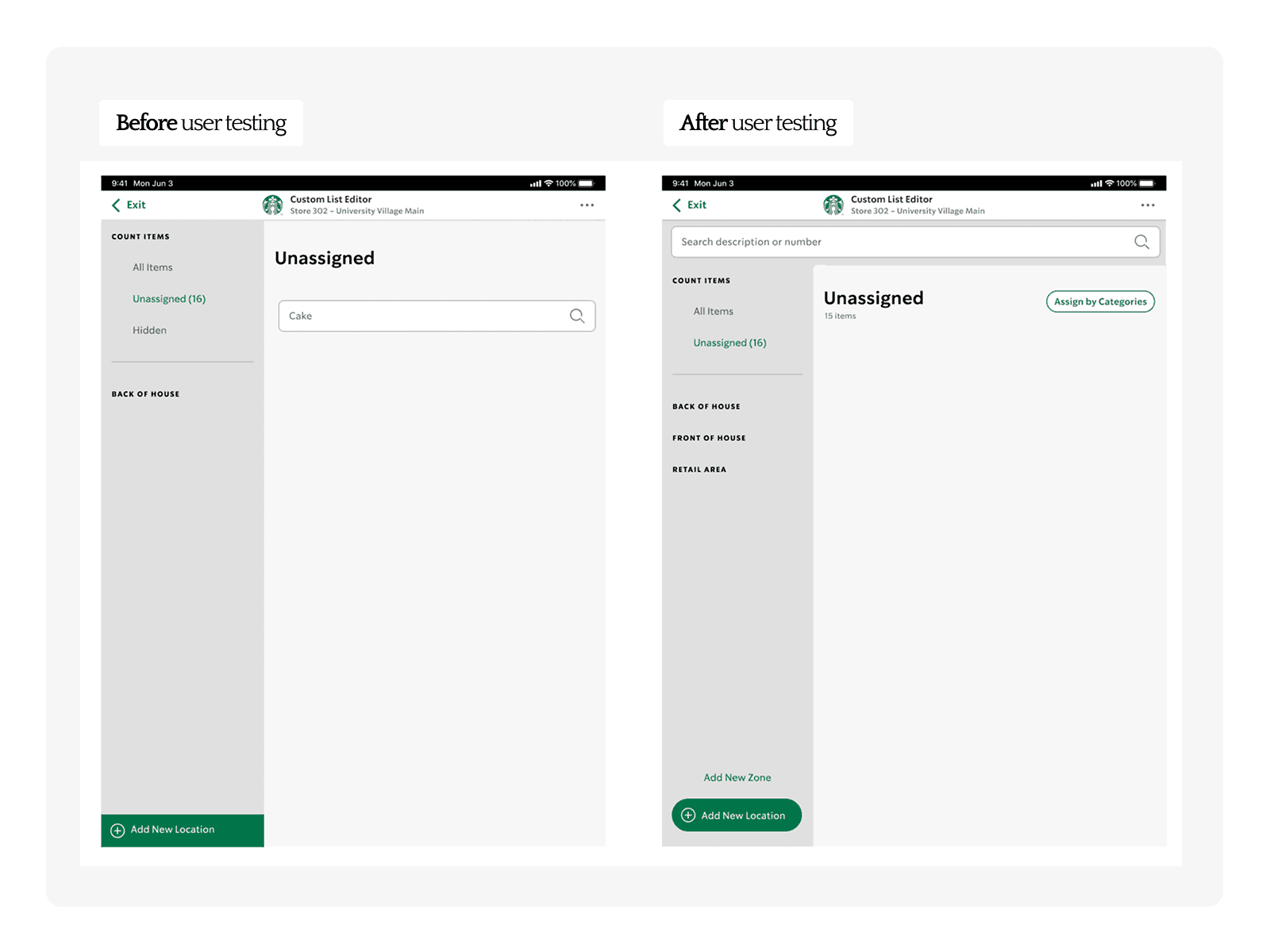
User interviews with experienced partners revealed strong demand for shared workflows and exposed real-world failure modes like device loss.
Prototypes tested collaborative flows, validating that partners found them intuitive and valuable (5/5 reported likely adoption).
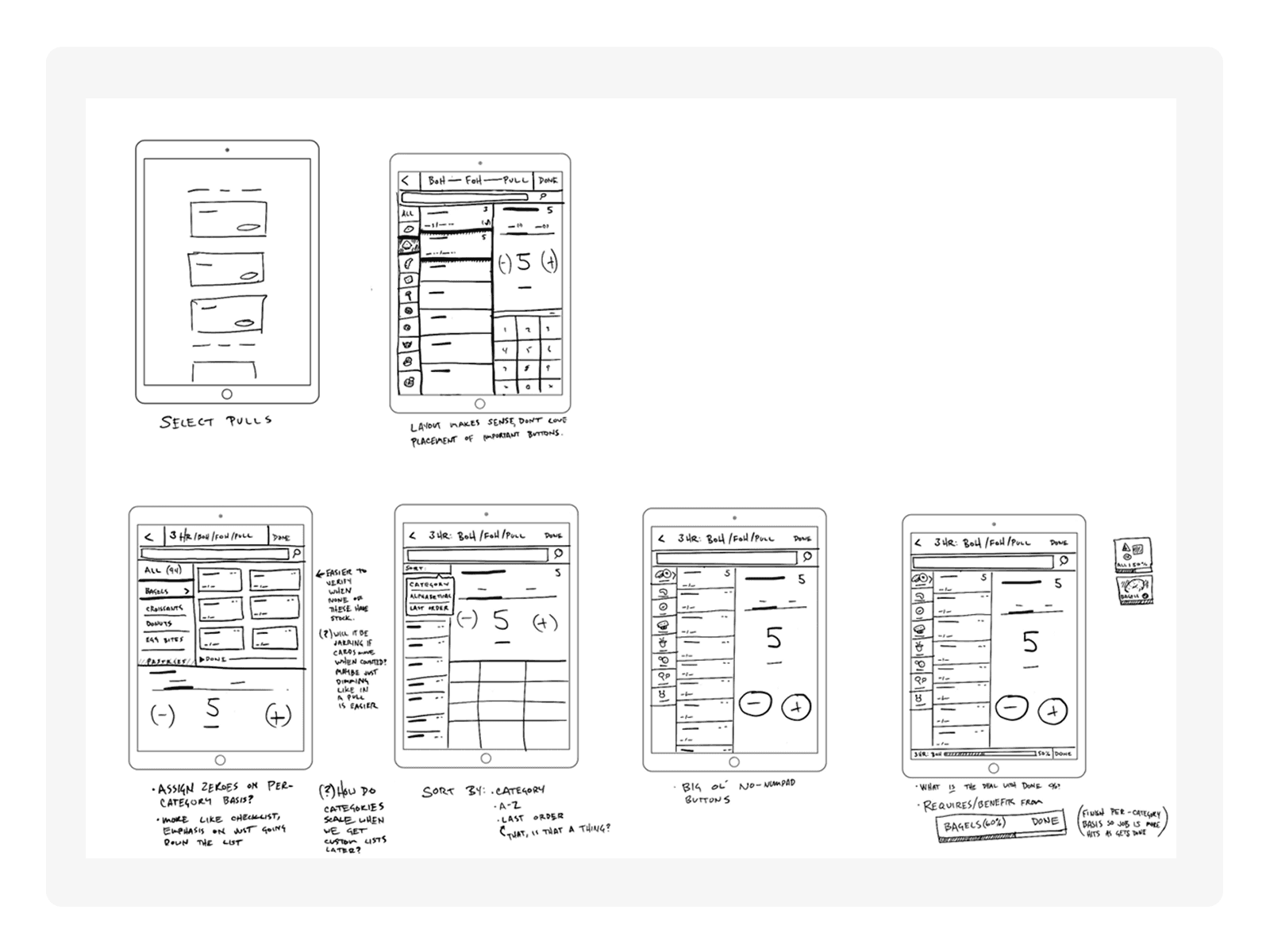
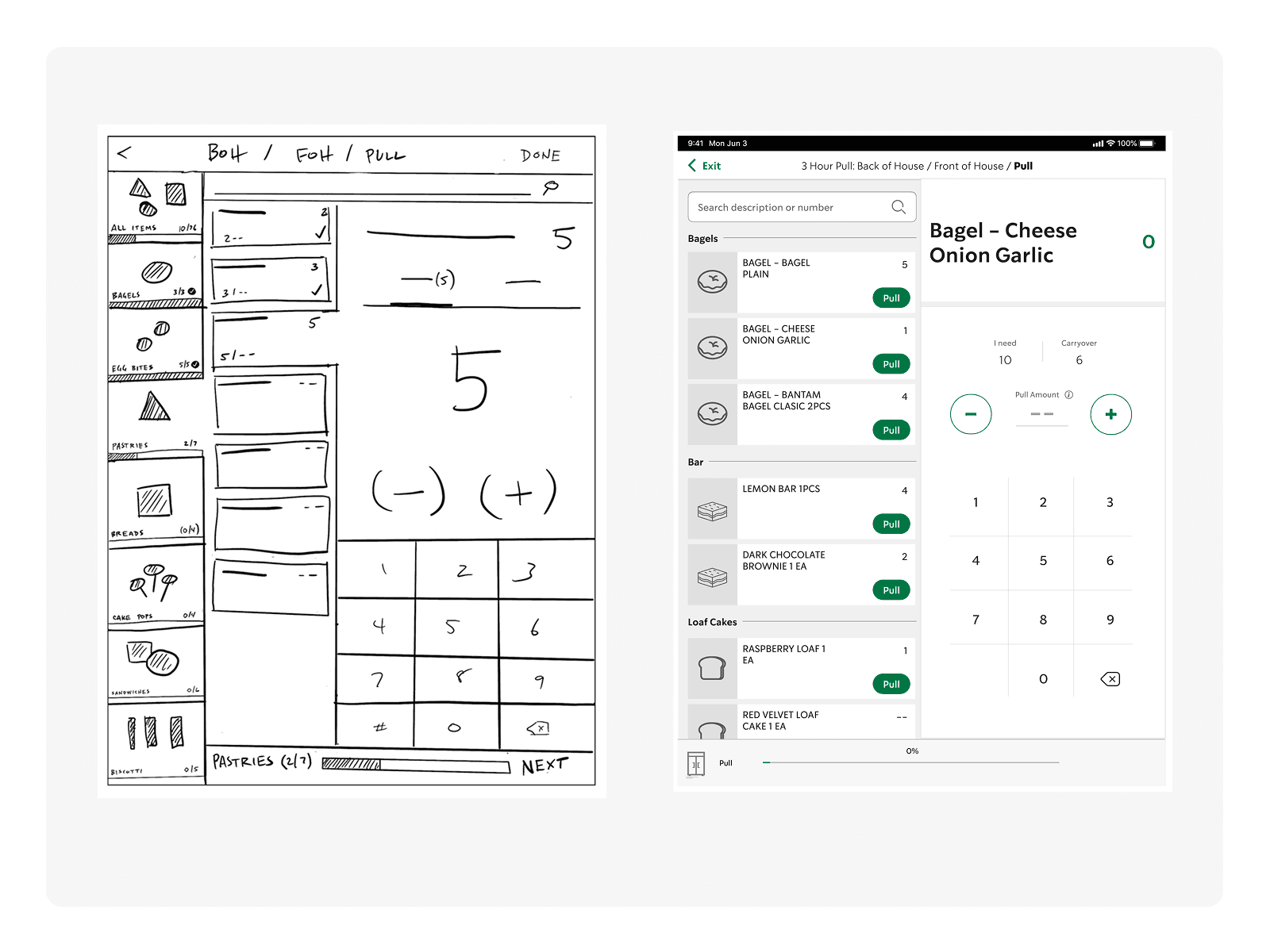
Iterations refined icon clarity, confirmation patterns, and session recovery to reduce ambiguity under pressure.
Solution
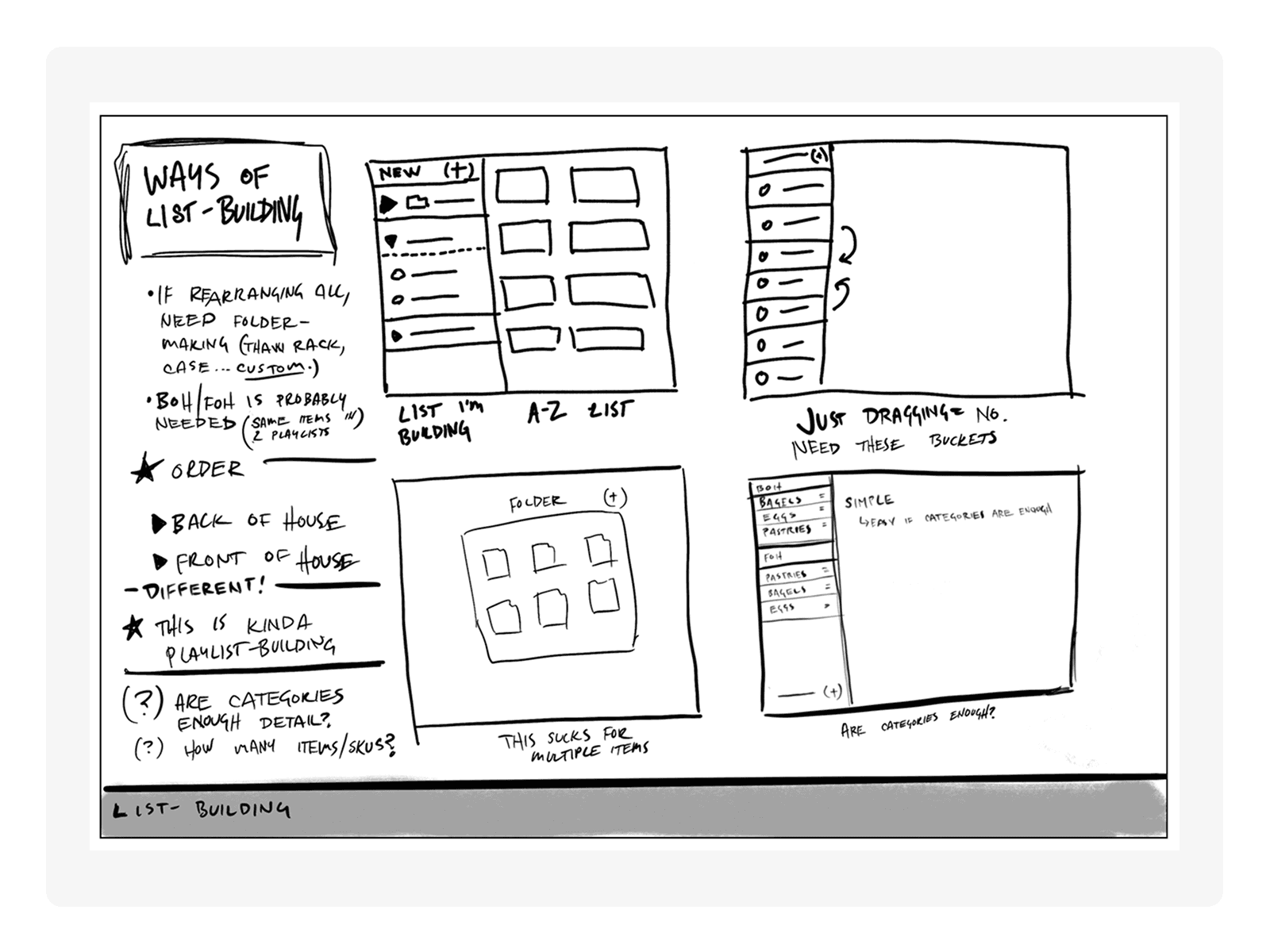
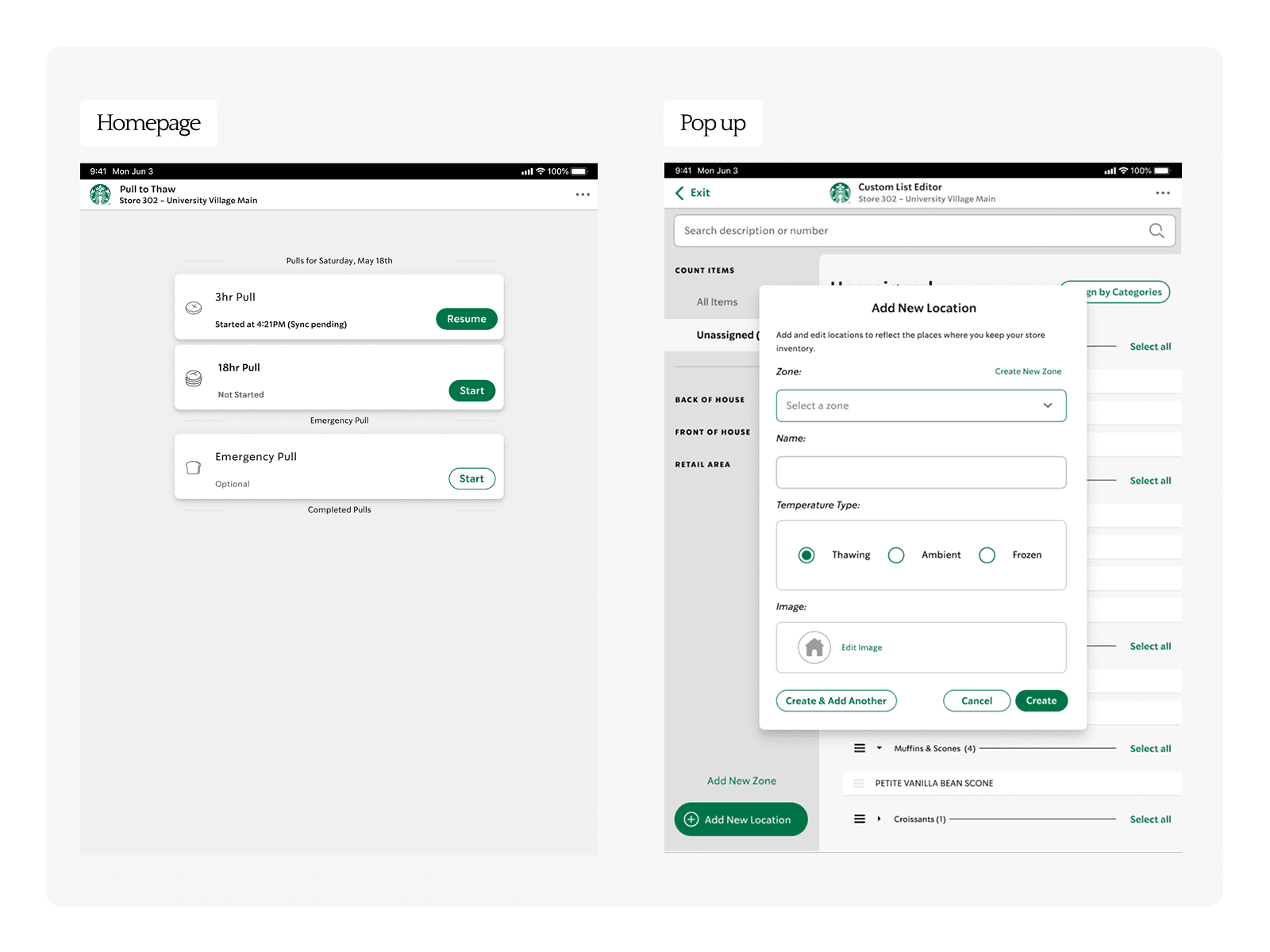
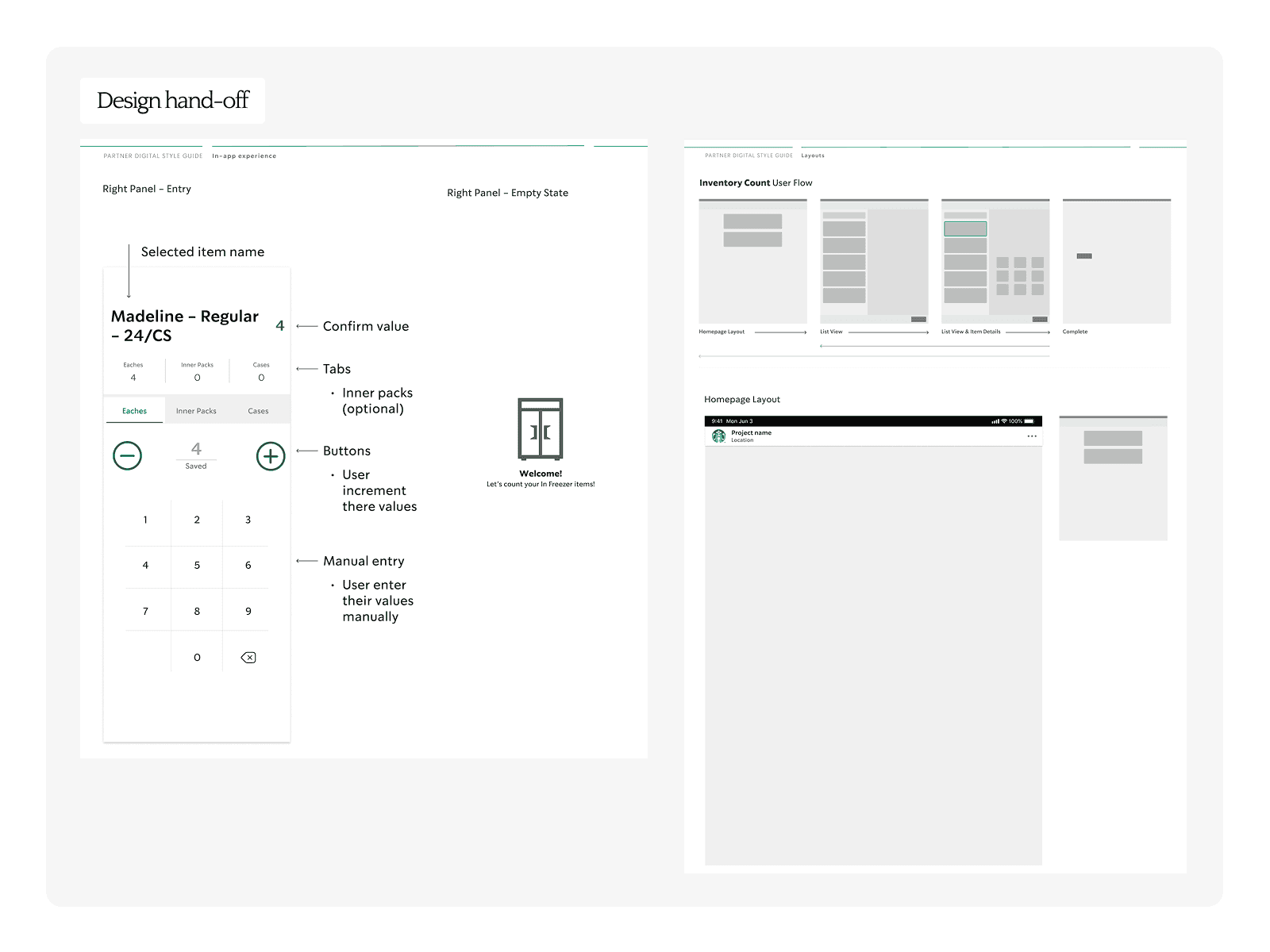
I designed a multi-user workflow system allowing partners to collaborate on counts simultaneously, with clear task ownership, real-time updates, and resumable sessions across devices.
The system introduced visual indicators for active tasks, conflict prevention mechanisms, and seamless handoff between devices, turning concurrency into a strength rather than a risk.
Reflection
I learned that designing for real-world environments requires embracing messiness, shared ownership and interruptions.
This work shaped my approach when designing with collaborative features, emphasizing clarity and resilience over having rigid control.
Outcome
Testing showed strong adoption intent (5/5 users) and high usability of collaborative features.
Partners reported improved clarity, reduced duplication, and faster task completion. Positive feedback on confirmation patterns reinforced trust in the system.
The solution aligned with Starbucks' transition to iPads, supporting scalable multi-device usage with minimal disruption.